ArchiveProject 04 / 11Tools / Games / UX/UI / Development
Game Designer Hub
The design toolset behind Project Frontier: a World Designer, Dungeon Designer, World Director, NPC Schedules and Cinematic Director, joined by one hub that maps the whole progression and catches problems across all of them.
[01] Overview
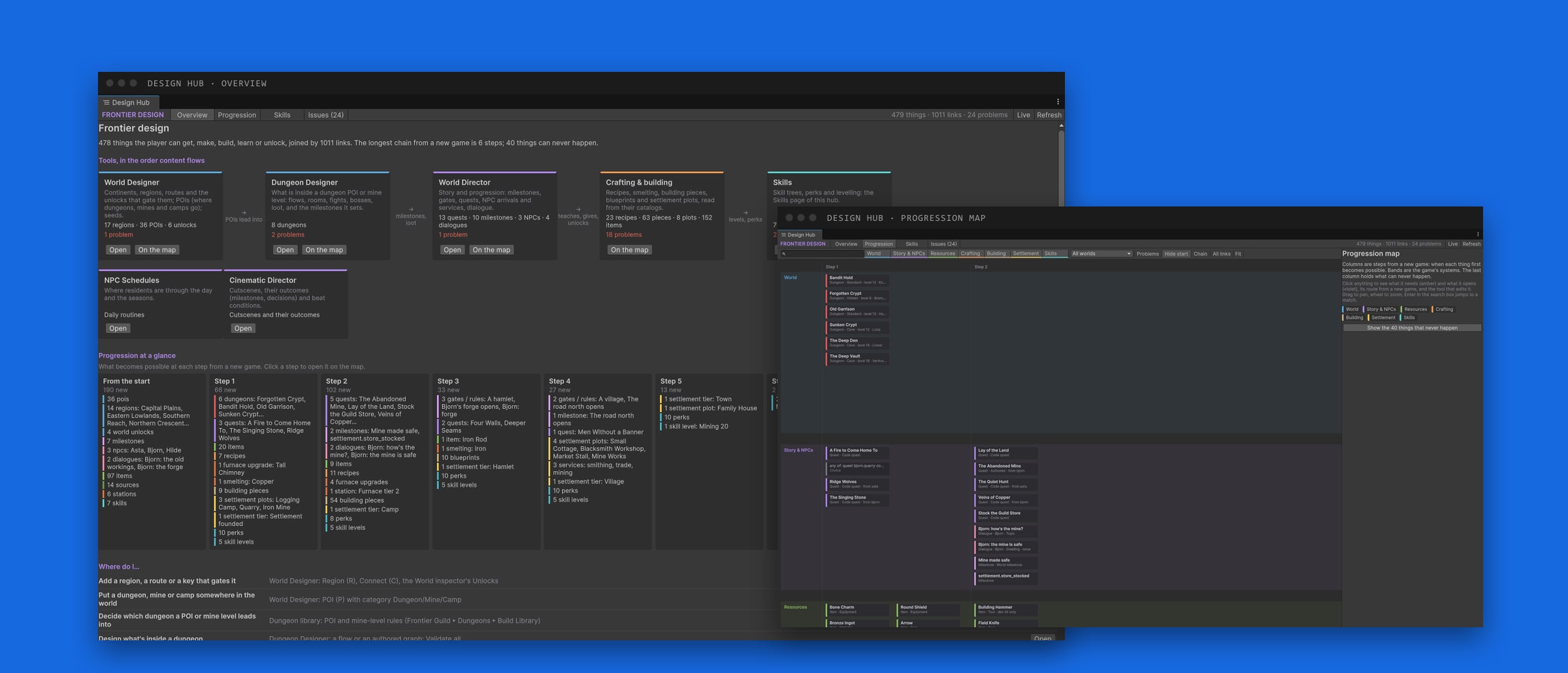
Project Frontier is a big game for one person: a world to explore, dungeons, quests, villagers with daily lives, crafting, building and skills. To design it I built my own set of editor tools inside Unity, one for each part of the game, and a hub that ties them together.
Content flows through the tools in order: the world decides where things are, dungeons decide what is inside them, the director turns it all into quests and story, and the hub shows how everything connects, from the first step of a new game to the last.
Note: the screenshots show placeholder content. The regions, quests, items and numbers are test data while the game is in development, not the final design.
[02] World Designer
Handcraft the reasons to travel, vary the journey.
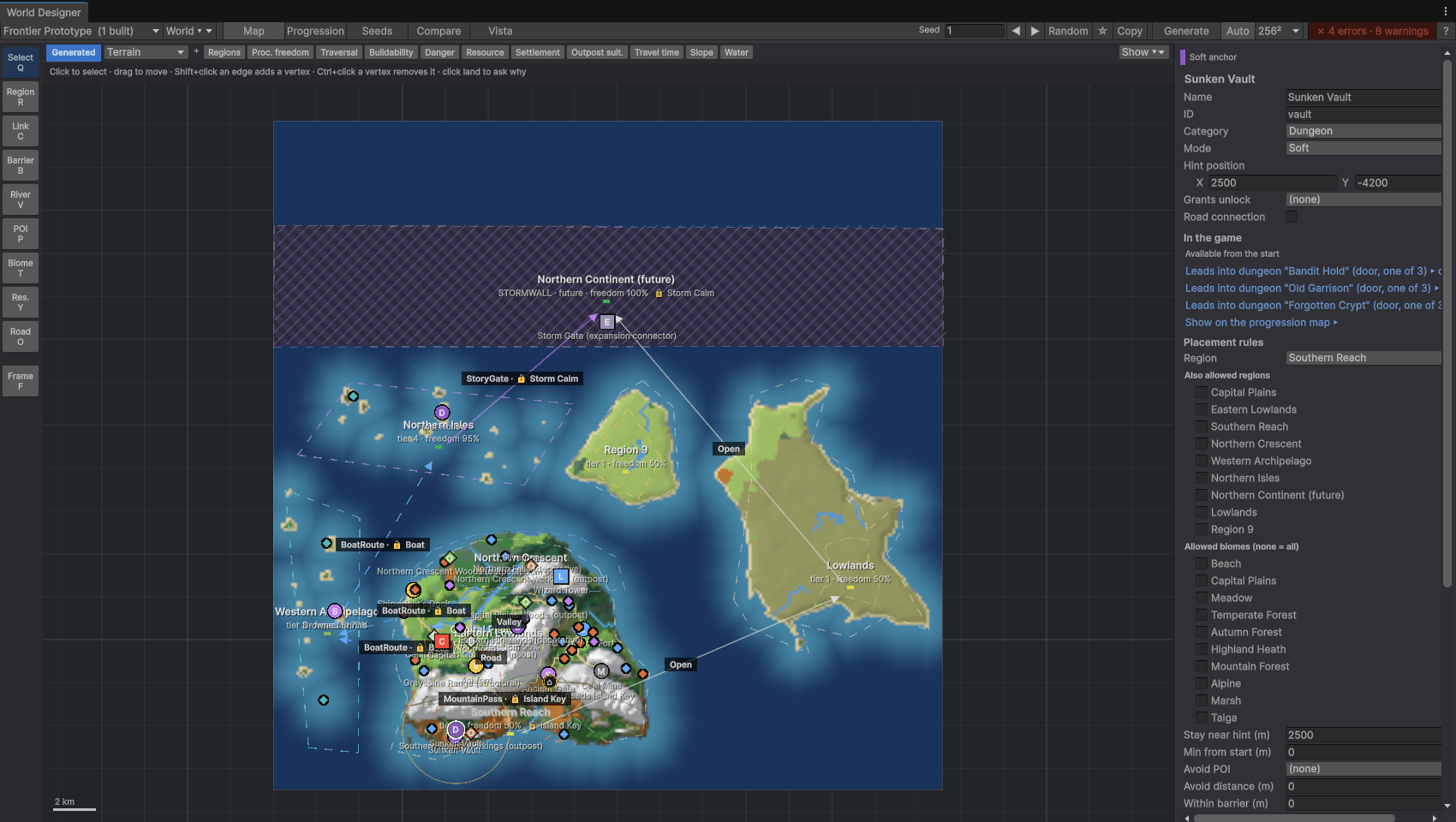
The World Designer is where the world’s structure is drawn: continents, regions, the connections between them (roads, valleys, mountain passes, boat routes, story gates), barriers like mountain ranges, rivers, biomes, resources and points of interest such as dungeons, mines and camps.
Each region has a freedom value from 0 to 100 %. Important places are hard anchors with exact positions; everything else can move and change shape with the seed. A deterministic generator turns the design plus a seed into a world, so co-op players only need to share the seed.
It also checks itself. A progression validator compares the intended route through the world with what the generated land actually allows, and draws the leak path when there is a shortcut. Seed pages, a 4-up compare view and batch tests over 100 to 10,000 seeds show how robust the rules are, and overlays show danger, buildability, travel time and resource density. Click any piece of land to ask *why is this here?*
[03] Dungeon Designer
Dungeons, caves and mines as graphs.
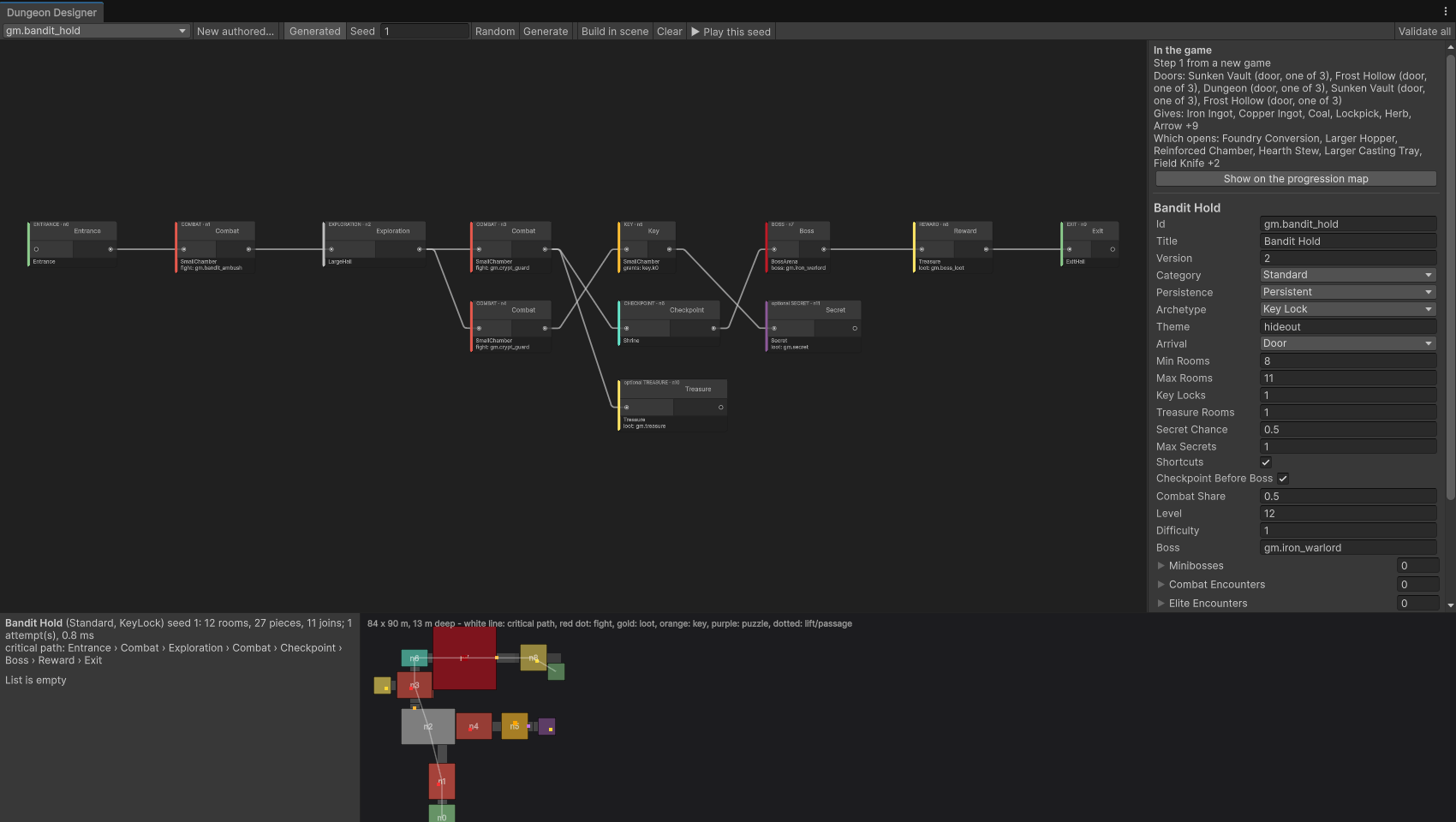
Dungeons are designed graph-first. A dungeon is a flow of rooms (entrance, combat, exploration, key, checkpoint, boss, treasure, secret, exit) built from one of eight archetypes, or authored by hand with procedural pools. The generator then assembles real rooms from a modular kit: corridors, stairs, junctions, lifts and loops.
A validator makes sure keys come before their locks, secrets stay optional and shortcuts can’t skip the boss. Each seed shows up as a layout map with the critical path, and Play this seed jumps straight into it. A stress test runs thousands of seeds and writes a report.
The same system drives cave dungeons and mine levels: deeper mine floors are reached by lift cages, with a guardian waiting at the bottom.
[04] World Director
One language for quests, story and unlocks.
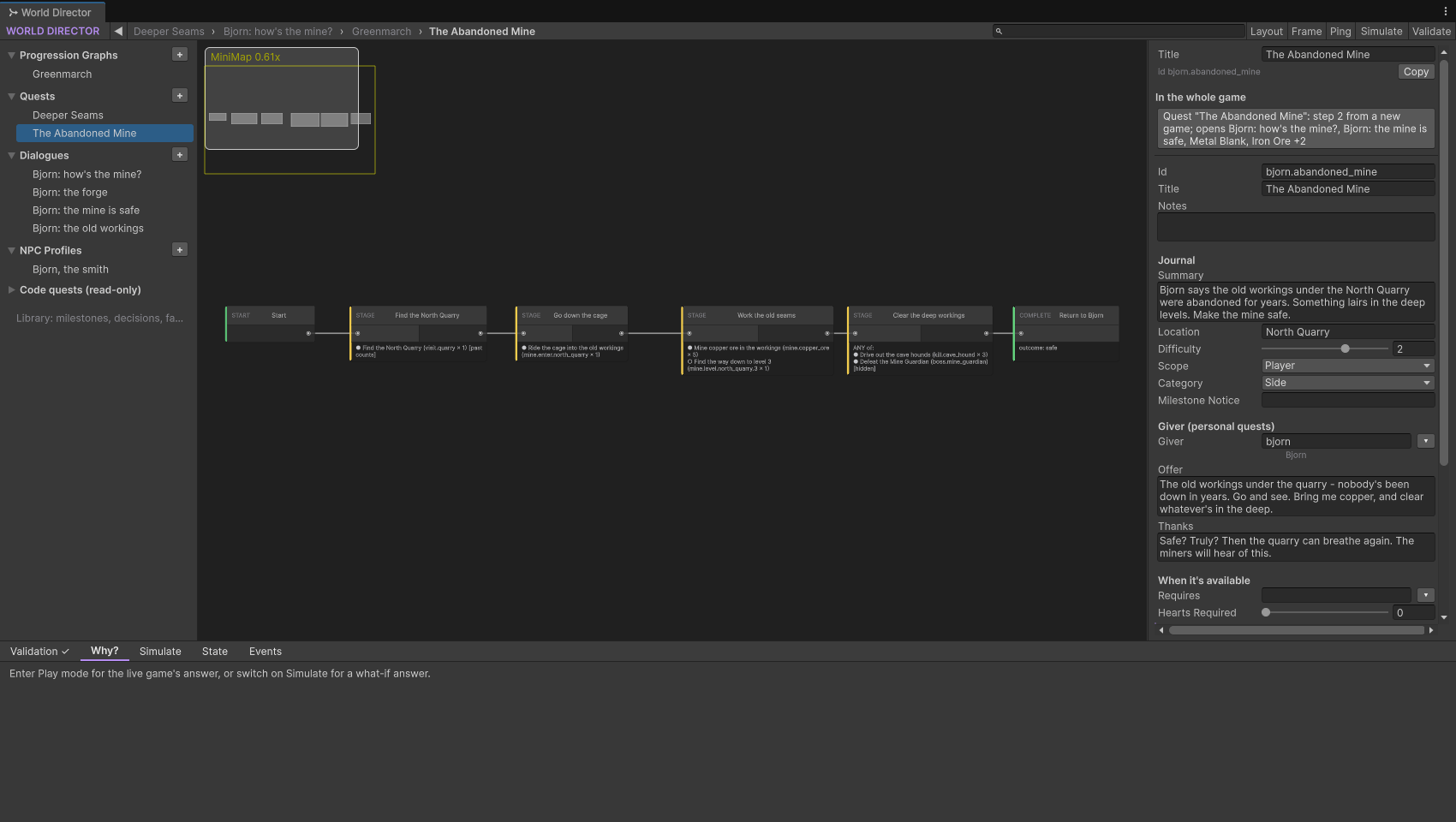
The World Director turns the game’s systems into progression. Quests, NPCs, dialogue, unlocks and story all use the same conditions (has this item, knows this recipe, reached this skill level, finished this quest, it is winter, it is night) and the same effects (set a milestone, start a quest, give an item, teach a recipe, play a cinematic).
Quests are visual graphs of stages and objectives. Every lock can explain itself: Why? tells you in one sentence what is missing, Simulate answers what-if questions without playing, and validation jumps straight to a broken node.
[05] More tools
- 01
NPC Schedules
A 24-hour timeline for every villager: where they are through the day and the seasons. It flags missing places and clashing times, path-finds the walks between places, and a scrubber previews where everyone is at any hour.
- 02
Cinematic Director
Cutscenes on top of Timeline and Cinemachine, written for roles instead of objects, so one scene works for any party from one to ten players. Beats can repeat per player or change with party size, and skipping still applies everything the scene was meant to change.
- 03
Crafting, building & skills
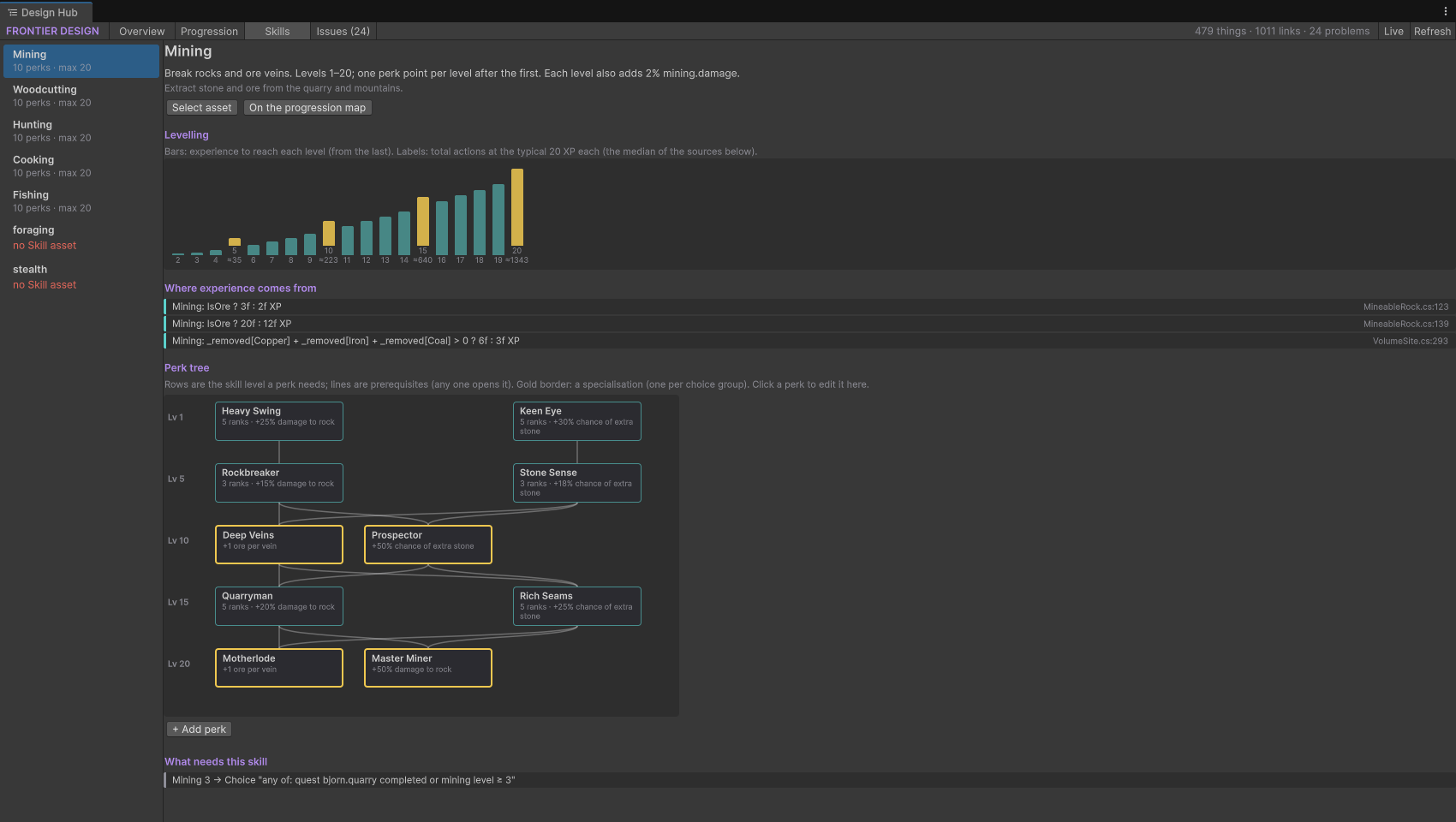
Recipes, smelting, building pieces, settlement plots and tiers come from their own catalogs. Skills got a page of their own in the hub: the levelling curve, where experience comes from in code, and the perk tree, edited in place.
[06] The hub
When does the player get X, and what does X open?
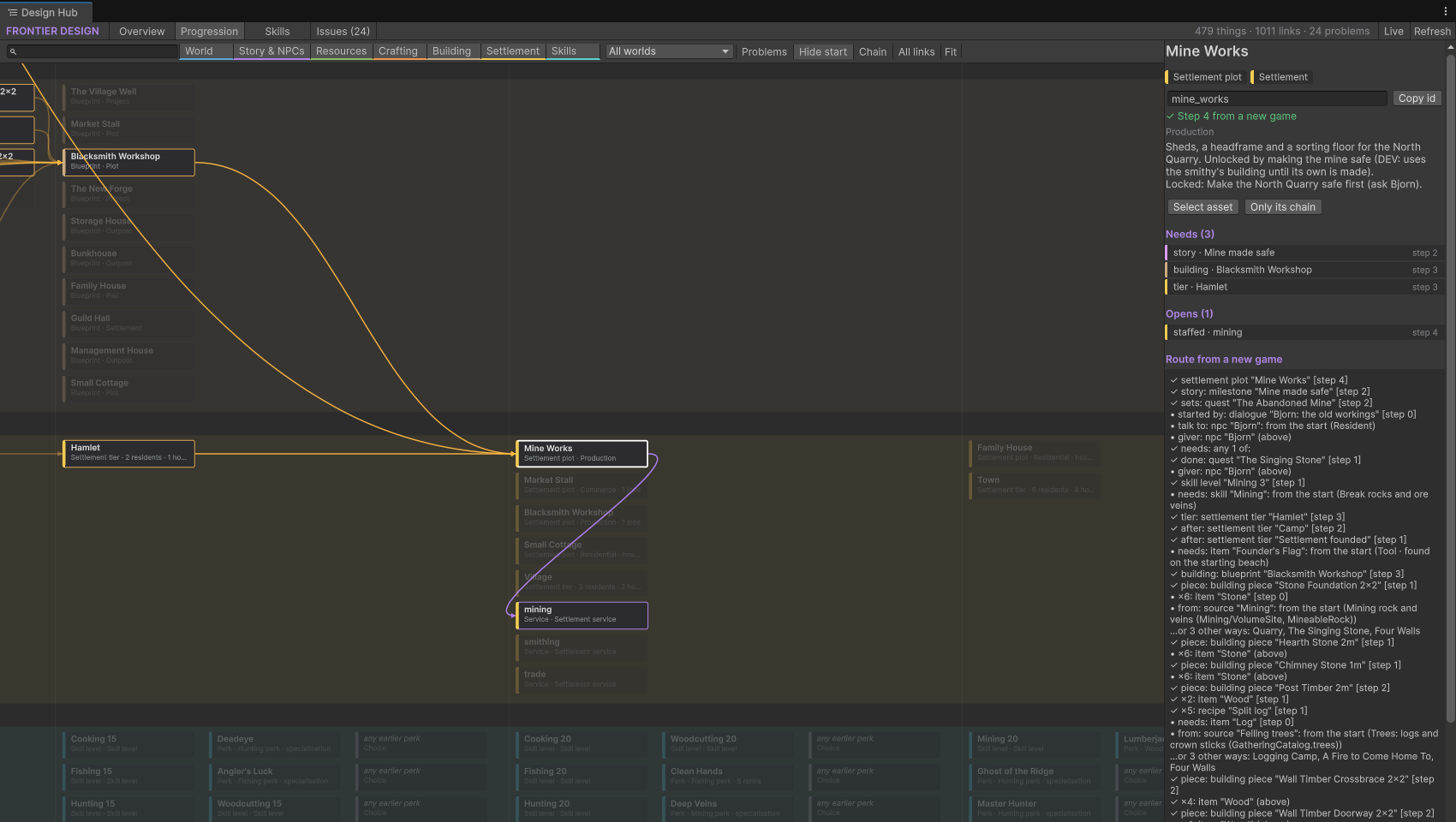
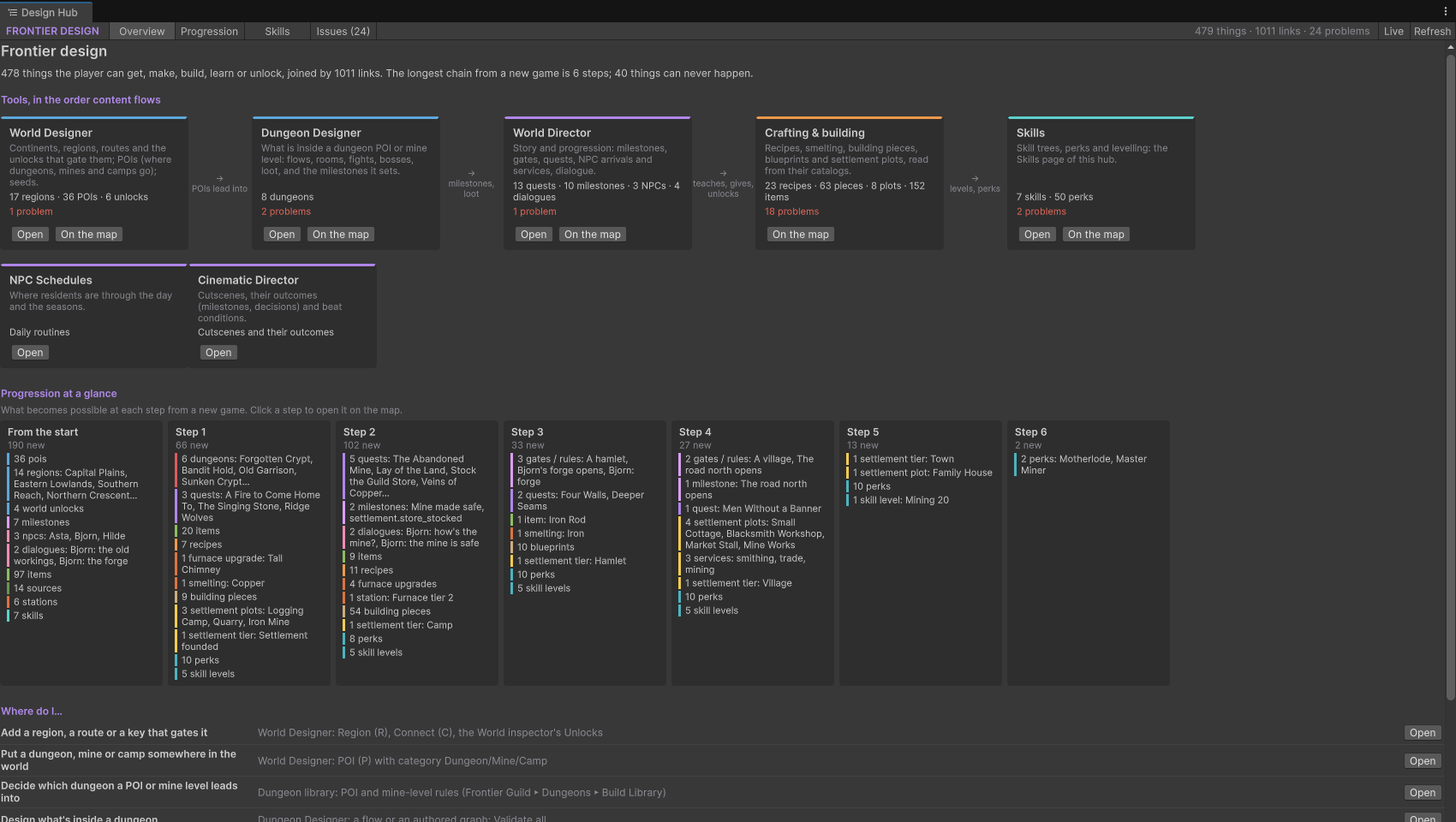
Each tool knew its own piece. The hub reads all of them and builds one map of the game: every item, recipe, building, plot, skill, perk, quest, NPC, dungeon and region, linked by what it needs and what it gives. It then works out the step at which each thing first becomes possible from a real new game.
Click anything on the map and what it needs lights up amber, what it opens violet, with its route from a new game and a button to the tool that edits it. In play mode, Live ticks off what the current player already has.
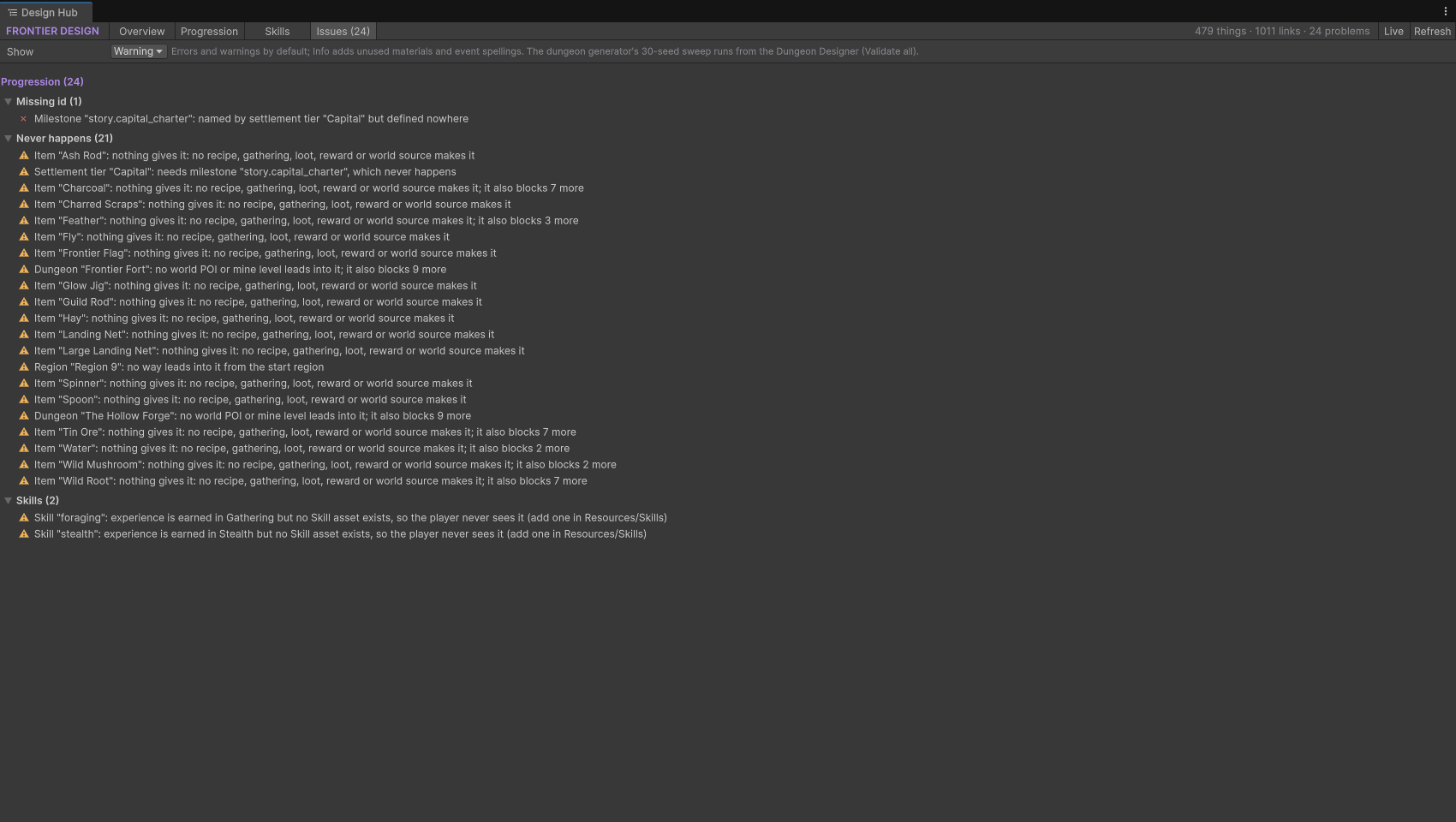
The Issues page gathers every cross-system problem in one list: missing ids, things nothing can give, skills without a page, broken quest links. And the other tools now show their place in the whole game too, with an In the game section that links back to the map.